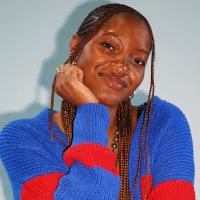

As a serial hobbyist and lifelong music lover, it was only a matter of time until I picked up DJing. I’ve always loved following my favorite DJs from event to event, and for a long time, I was content to let it remain a spectator sport. Now, I’m teaching myself from the comfort of my own bedroom. If you want to do the same and need help setting up your space, here’s everything I’m using to grow my skills.


Related

Want more from NBC Select? Sign up for our newsletter, The Selection, and shop smarter.
The beginner essentials for DJing
DJ decks
The first step is setting up your decks. Decks are what the music is played on — these are often controllers or compact disc jockeys (CDJs), both of which are media players that allow you to play your music from digital sources. CDJs are standard in most professional club setups, however, controllers are great for affordability and learning to DJ on your own. If you decide on a CDJ setup, you’ll need two to mix multiple tracks, along with a mixer to connect the devices. Since controllers are best for learning and affordability (you only need one to get you started), I chose to focus on those for this list.
Best DJ controller

Pioneer is a tried-and-true DJ brand — my controller is an older Pioneer model, and is compatible with PC and Mac computers, iPhones, iPads and Android devices. It’s lightweight, making it easy to carry to gigs or events, and is compatible with streaming services like Tidal, Soundcloud Go+, Beatport, Beatsource and more. The controller has beginner-friendly mixing tools to help you learn how to smoothly transition between tracks, and built-in effects like echo, reverb and more, allowing you to get creative as you build your skills. Serato’s DJ Lite software, which includes tools and tutorials to help you learn, is also included with purchase, according to the brand.

Best DJ controller bundle

If you’re on a budget, this bundle is your best bet — Numark is a top-rated industry brand. It includes Numark’s Party Mix II DJ controller, which is compatible with Windows and Mac systems, along with a slew of streaming providers like Apple Music, Tidal, Spotify, Soundcloud and more. You can use your included Serato DJ Lite software to mix with the controller’s performance features, like cues, loops, and sampling. Plus, the controller has built-in LED lights to sync to your mix. Along with the software, you’ll also get a pair of Numark HF175 headphones. They have soft, padded ear cushions and swiveling cups for versatility. The headband is also adjusted for extra comfort.
Software and hardware
When learning DJing, you’ll absolutely need a fast laptop and software for mixing, saving tracks and more. It’s also important to have a laptop with speedy processing and enough memory to properly run your software.
Best laptop

The MacBook Neo has a fast, A18 chip that enables quick processing and multitasking (which, as a habitual tab-opener, is key for me). The speed and storage capabilities make it great for switching between tasks and handling the demand and memory needs of music software. It gets up to 24 hours of battery life on a single charge, making it great for travelling with your equipment, and has multiple connectivity ports, including two USB-C ports and a headphone jack. The Mac OS is also compatible with a wide range of controllers and software, making it a versatile choice that can pair with a range of equipment. I love that it’s so lightweight and compact — it makes it that much easier to carry around and travel with.

Best adapter

If you’re like me and have an Apple computer, you’ll need an adapter to connect your laptop to the controller. The hub I use is no longer sold, however, this USB hub from Anker (one of our favorite tech brands for chargers and portable power) has five ports that include USB-C, USB-A and HDMI connections — more than enough for your DJing needs, since most controllers only need a USB-A input. While DJing, the USB-C input goes into your computer, while your controller is plugged into the hub. Plus, you can use the hub to load your mixes and track selections on USB drives for gigs on the go.

Best software

Out of all the options, Rekordbox is my personal DJ software of choice for its easy controls and overall compatibility with my equipment. It allows you to do typical DJ tasks like mixing music, syncing with your streaming services and organizing your library. You can also access extra features depending on the subscription level you choose; since I’m still a beginner, I have the Core + Cloud option, which allows me to manage my music and do more advanced tasks like adding effects, recording and sharing my mixes, and storing my tracks in a 1TB cloud library. It’s also a great learning tool, since the software includes built-in tutorials that are geared towards DJing newbies.
Audio equipment
Lastly, your DJ setup will need robust audio equipment for the best sound possible. You can choose between speakers for volume, headphones for a closer listen to the music, or even both at the same time.
Best DJ headphones

These headphones are designed specifically for audio engineering, according to the brand. They have a lightweight, over-ear design, and a single-sided cable for easy connectivity to your laptop or media player. The headphones also have a closed-back design that isolates you from external noise and distractions, and can be collapsed into the included pouch for easy travel, according to the brand. They’re also available in a wireless Bluetooth version.
Best DJ speakers

These speakers deliver high sound quality at an affordable price, making them great for beginner, bedroom DJs. They have adjustable equalization (EQ) knobs, which help you to balance sound and frequencies from the music, along with RCA cable hookups that are compatible with laptops, record players, gaming systems and more, according to the brand. The speaker bundle includes one passive and one active speaker, along with three connectivity cables and the MPC Beats Production app, which you can use for mixing, editing, recording and more.
Related

How I picked the best DJ equipment
I used my personal experience with certain equipment, along with research on top-rated options for the products I haven’t tried. As a beginner myself, I’m intimately familiar with the struggle of deciding how much to invest in a new hobby — you want to spend enough to make sure you’re on the right track, but not so much that your new pastime is suddenly breaking the bank. It’s especially hard with DJing, since equipment costs can run into the thousands if you’re not careful.
Given that, I made sure to keep affordability in mind by spotlighting high-quality, low-cost options that’ll help you learn the ropes while staying on budget. I also included products from popular brands in the DJ space — brands whose logos I’ve seen on the battle-tested controllers, headphones and computers of the clubs and DJs that I love.
Frequently asked questions
Yes, you can learn to DJ on your own, especially once you have a good setup. After setting yourself up with the right equipment, the next step to learning to DJ is really to just do it. It’s a trial-and-error process, and with the help of tutorials on YouTube and advice on popular DJ sites like Pirate, you can learn everything you need to get started (that’s how I’m doing it). You should also be sure to check out live DJ events in your area and online mix streams to train your ear for beat selection and mixing while observing other DJs.
Controllers are usually easier to learn on, while CDJs are used in more professional settings. Although both are valid mixing formats, there are a few key differences between the two. Controllers are often considered better for beginners since they tend to be on the more affordable side, however, unlike CDJs, they require a laptop to work properly. CDJs don’t need a computer to run, but are usually a much more expensive setup, especially since the standard CDJ setup requires two CDJs and a mixer. CDJs are also heavier, making them trickier to carry around if you’re playing at a location without any equipment.
Yes, you can use both headphones and speakers at the same time while DJing. You can use your DJ controller or other audio interface to split your audio signal between the two inputs. This allows you to play one track over your speakers while previewing the next track in your headphones, a technique that helps DJs to mix seamlessly on the fly.
Why trust NBC Select?
I’m an associate SEO reporter for NBC Select, covering deals, sales, wellness, lifestyle and more. I am also a physical media lover and music fan. For this piece, I wrote about everything you need to become a DJ, based on my own personal experience with beginner-friendly essentials.
Catch up on NBC Select’s in-depth coverage of tech and tools, wellness and more, and follow us on Facebook, Instagram, Twitter and TikTok to stay up to date.


